MCP stands for Model Context Protocol, an open standard created to connect artificial intelligence applications securely to external data sources, local files, and tools. It works like a universal "USB-C port" for AI, allowing models like Claude, ChatGPT, and Copilot to interact with live software and databases without custom code for every single integration.
Smarty is Martus' application, and is available for all Premium tier customers, and those beta testing.
That means one thing: dashboards and reporting that finally bring everything together. Every KPI, chart, and summary in one place, built from the full picture of your organization — not just what lives in Martus.
MCP Setup Instructions
The specifics will vary by provider, but here are the generic instructions.
- A Martus Admin must first provide consent to use AI in Martus. Navigate to Martus > Support, and click OK under Martus Intelligence Consent.
- Find your Martus base URL (e.g. db3, prod2, prod11, ca).
- Open your MCP client (AI tool) of choice and create a new MCP Connection (often under “Apps” or “Connectors”).
- If necessary, enable custom MCP connections.
- Enter the URL: https://{your-url}.martus.app/mcp.
- You’ll be redirected to sign into Martus.
- Generate an API token if necessary.
- You’ll be redirected back to the MCP client to finish setup.
To see an example, view this demo connection to ChatGPT.
Early Adoption
Contact your Martus business partner or Martus Support if you are interested in becoming an early adopter. MCP requires the capabilities of the Martus Connector (an API subscription included with Premium and optional with Plus subscriptions). We will activate if necessary for early adopters, but final pricing and packaging have not yet been determined.
Examples
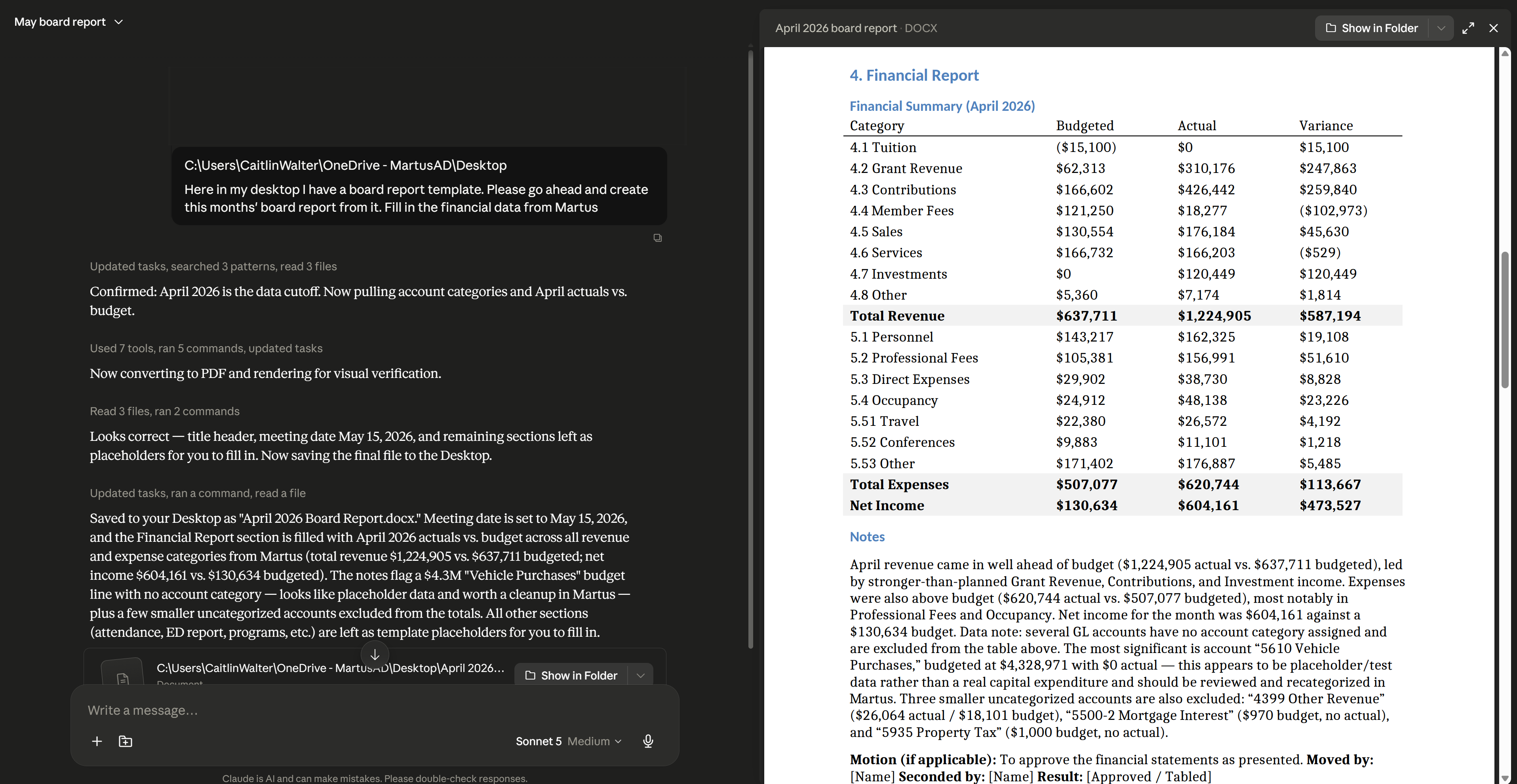
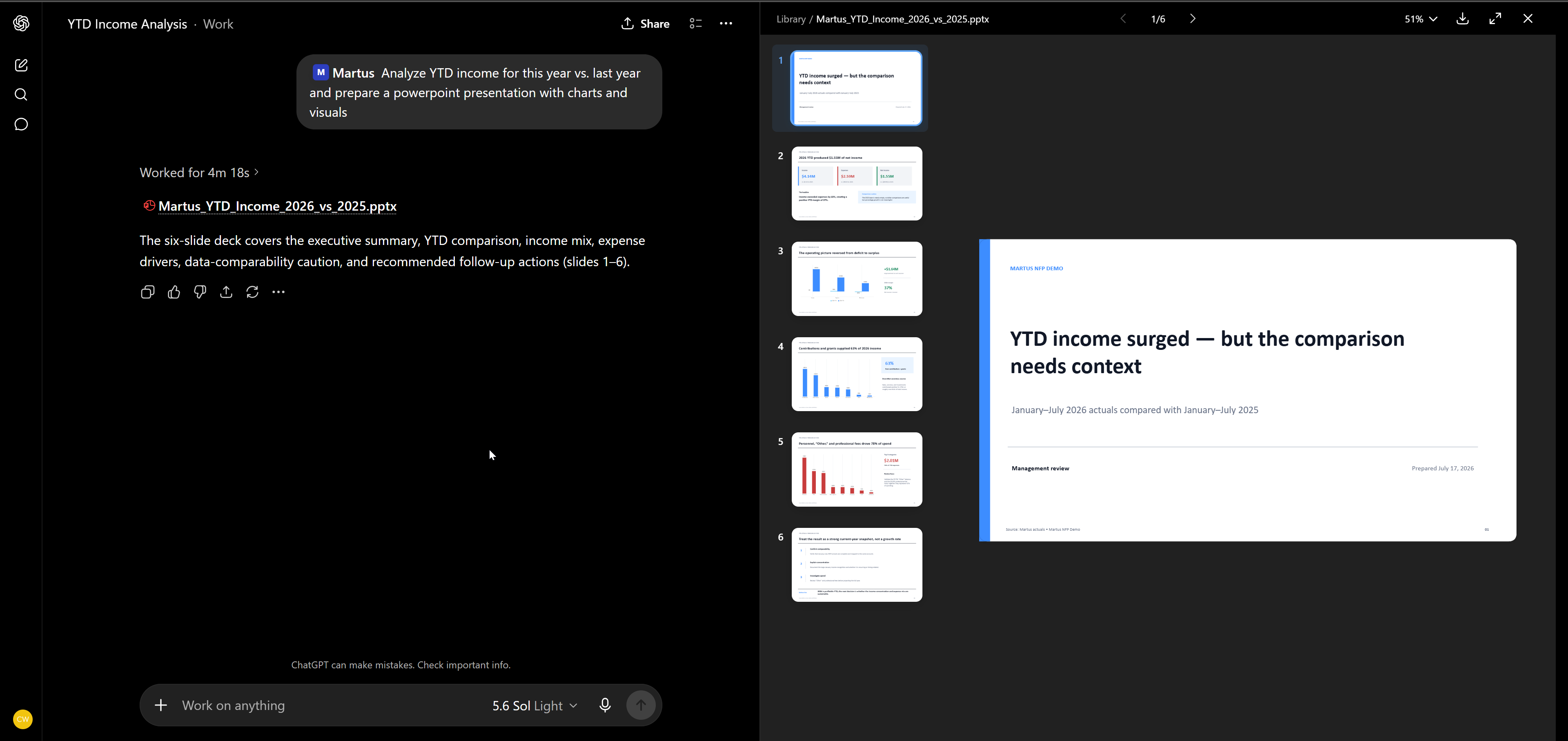
Here are two examples of how you could use Smarty.
Was this article helpful?
That’s Great!
Thank you for your feedback
Sorry! We couldn't be helpful
Thank you for your feedback
Feedback sent
We appreciate your effort and will try to fix the article