The Projected Balance Sheet in Martus is a report that predicts the impact of your budget on your balance sheet accounts. It
helps you see how budgeted sales (which increase Accounts Receivable) and expenses (which increase Accounts Payable) will affect your financial position. Once a budget is finished, you "build the balance sheet impact" to generate the report along with a Statement of Projected Cash Flows. Admins set up amortization schedules and balance sheet categories to control the timing and organization of the report.
Cash Flow Forecasting is part of the Premium subscription level. It is available for all integrations.
Navigating the Projected Balance Sheet
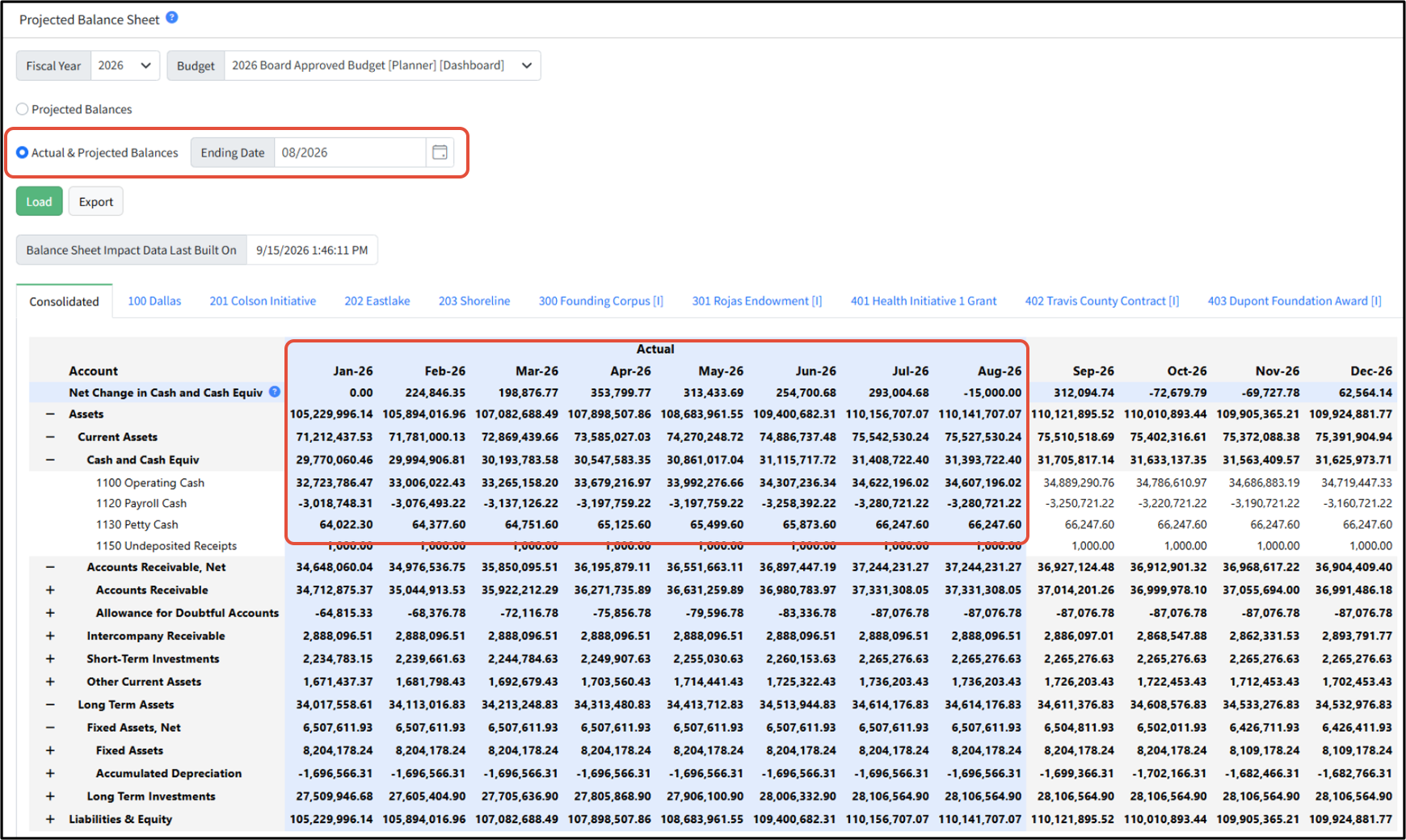
Select the Fiscal Year and Budget desired, and then choose to view either a Projected Balances scenario, or Actual & Projected Balances. You will be asked to specify the Ending Date for the actuals. Be sure to hit Load after making your selections. You can Export the view to Excel.
Balance Sheet Impact Data Last Built On provides the date of the last build. To update the balance sheet, return to Cash Flow Forecasting > Balance Sheet Impact and click Build Balance Sheet Impact.
If you have multiple entities, you will have a consolidated tab, and a tab for each entity.
To help you maintain visibility of your changes in overall cash holdings, the Net Change in Cash and Cash Equiv line calls out the net change month over month for the account category you selected as your balance sheet cash account category during your setup. To change this account category, contact Martus support.
Use the + and - on the lines to expand and collapse different sections.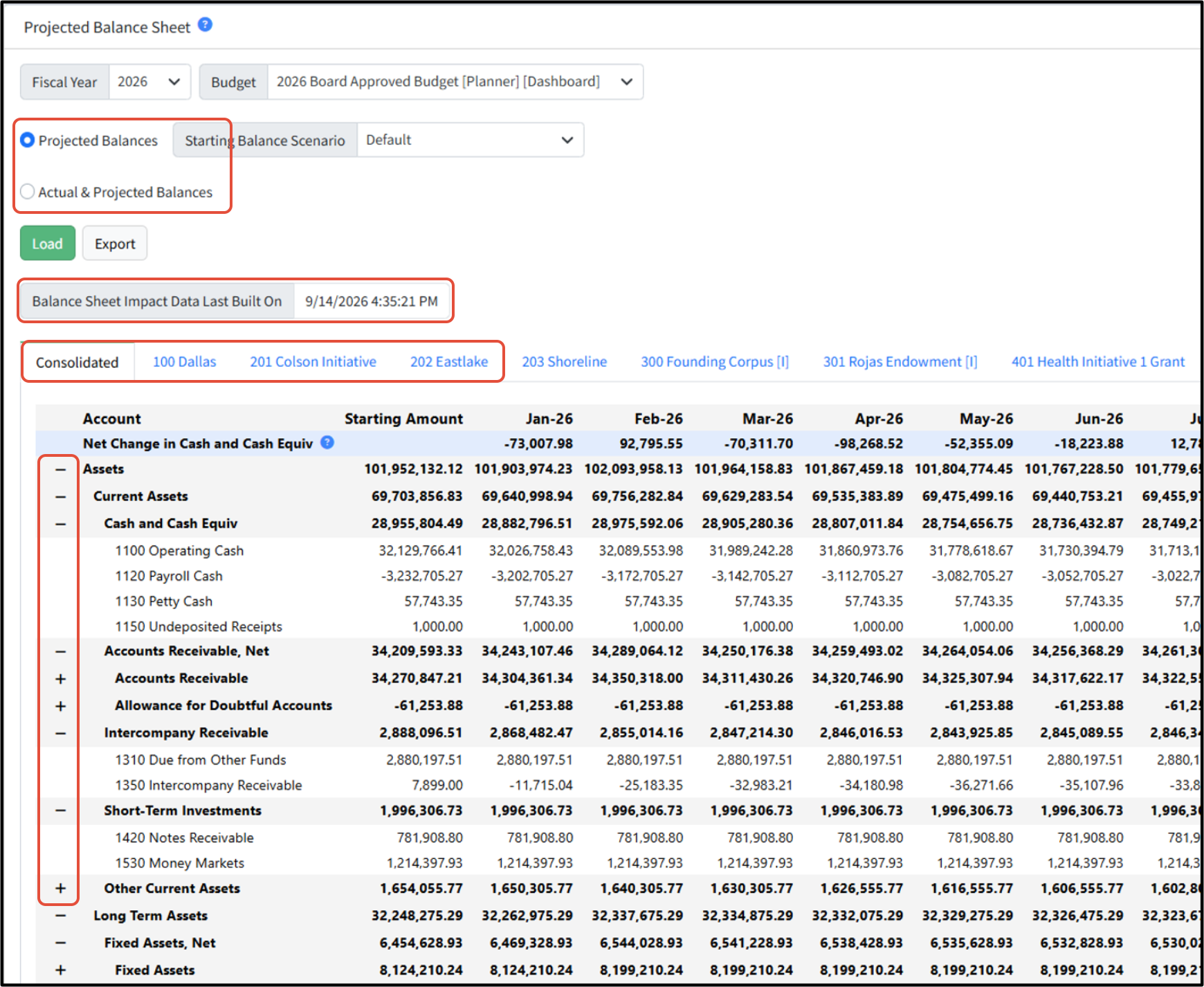
Actuals columns show in blue for easier viewing.
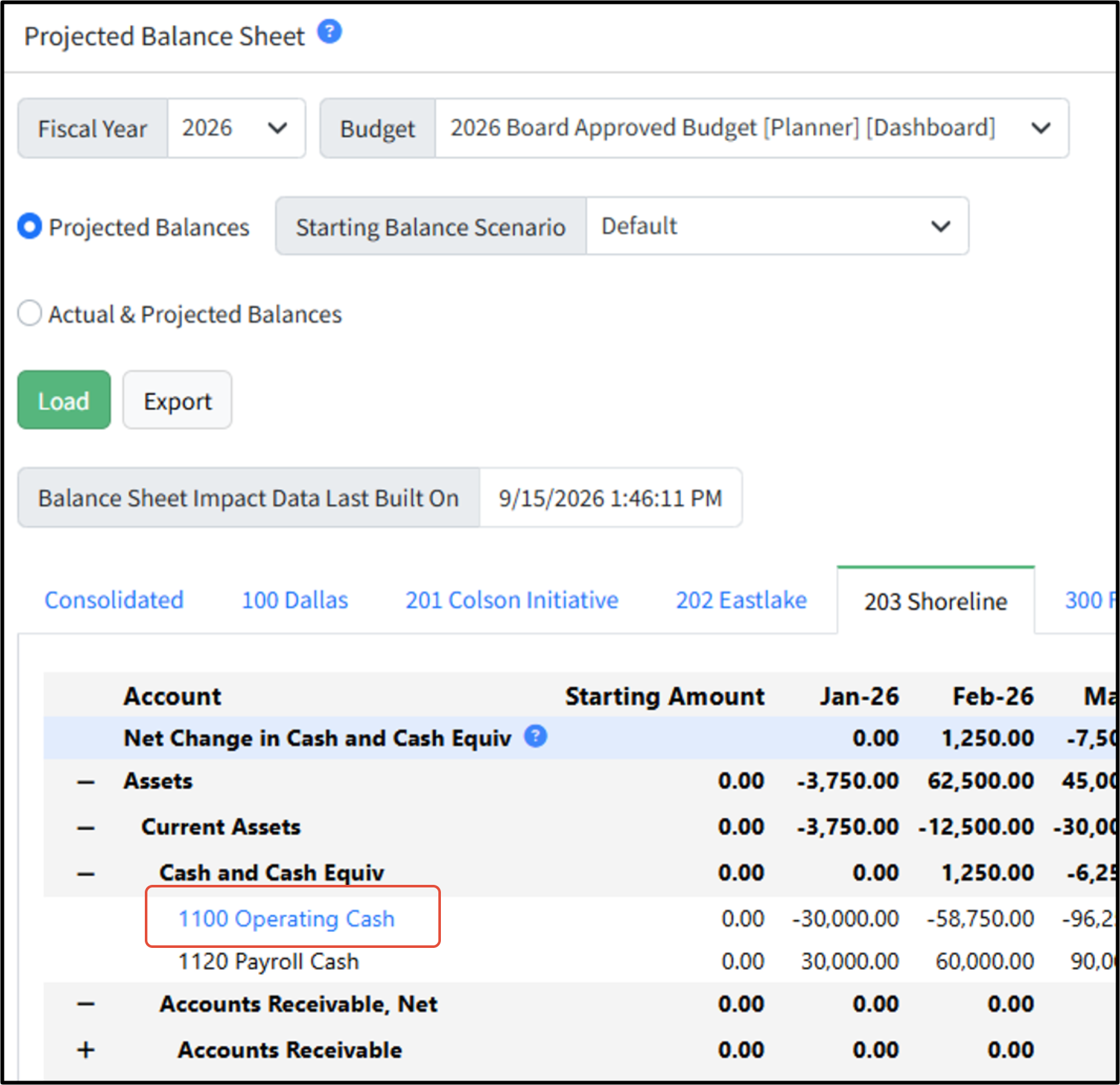
To view the Operating Cash account detail for a specific entity, click the blue link. The default cash account for each entity will link to a pop up with more detail showing how these monthly numbers were calculated.
Was this article helpful?
That’s Great!
Thank you for your feedback
Sorry! We couldn't be helpful
Thank you for your feedback
Feedback sent
We appreciate your effort and will try to fix the article