The Budget Navigator is a tool to assist Martus Admins in planning and implementing the budget cycle within Martus. It holds 6 phases, each with custom start and end dates and specific tasks to mark off as you go. Non-admins do not currently have access to the Budget Navigator.
The Budget Playbook is a tool to assist in the budgeting process that happens outside of Martus. It walks through topics such as executive alignment, budget kickoff, contributor planning and execution, etc., and provides helpful tips, videos, along with email and meeting templates.
The Martus Playbook:
The Martus playbook lives within our Learning Management system. In order to access it, an account must be created within the LMS system, this account is different than your Martus login.
Find the Budget Playbook here.
The Budget Navigator:
The Budget Navigator is a task list with a timeline to walk you through the various steps required to manage your budget cycle within Martus.
Begin Using the Budget Navigator
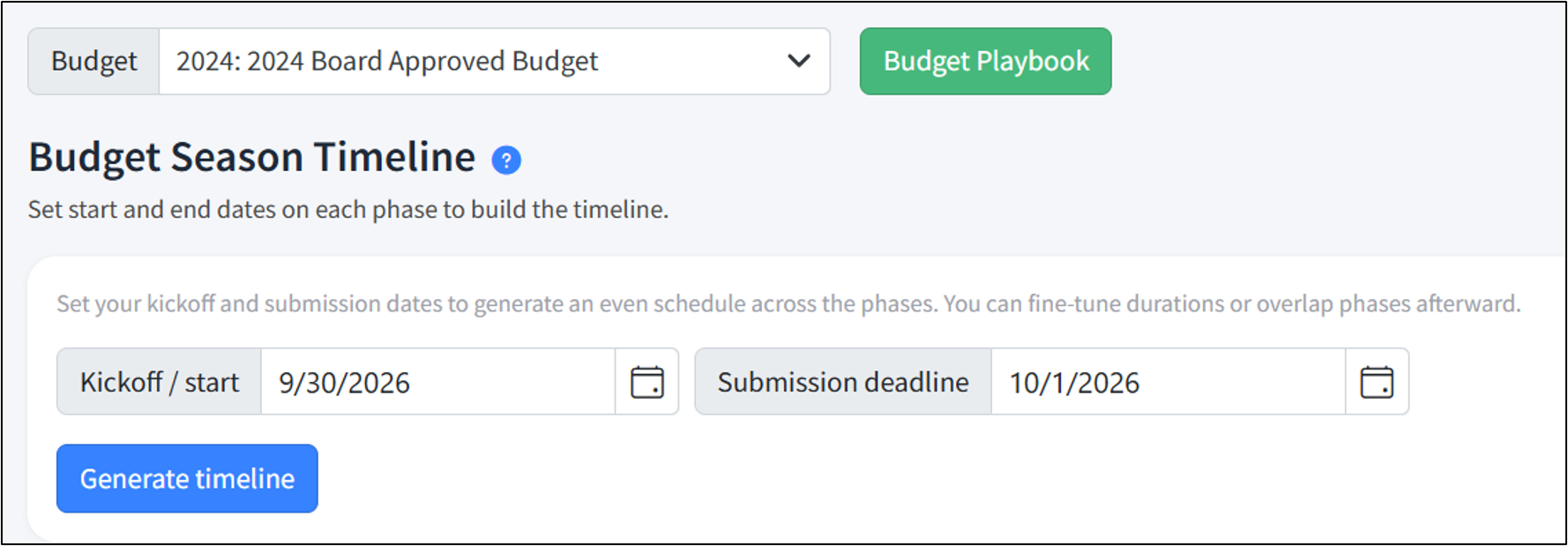
- Start on Planner > Budget Navigator
- Choose the appropriate Budget
- Enter the beginning and end of your budget cycle
- Click Generate Timeline
Adjust Phase Dates
- Open the appropriate phase
- Adjust the Start and End dates
Add tasks
- Open the appropriate phase
- Navigate to the bottom of the list
- Click to add your task and click Add task
Find the Budget Navigator within Martus using the walk through below:
To get started, you will need to have a Planner budget set up in Martus, and be a Martus Admin. Not sure how to do that? Click here.
Was this article helpful?
That’s Great!
Thank you for your feedback
Sorry! We couldn't be helpful
Thank you for your feedback
Feedback sent
We appreciate your effort and will try to fix the article