Martus Admins set the default Dashboard and Planner budgets, and also set the budget year. These settings apply to non-admin users, and stipulates what they can see in Martus.
Keep in mind that the Dashboard and Planner defaults may be the same budget, but do not have to be. You may have a board approved budget as the Dashboard default, and a reforecast budget or working budget set as the Planner default. Regardless, a budget must be set as the default for your non-admins.
Dashboard Default Budget
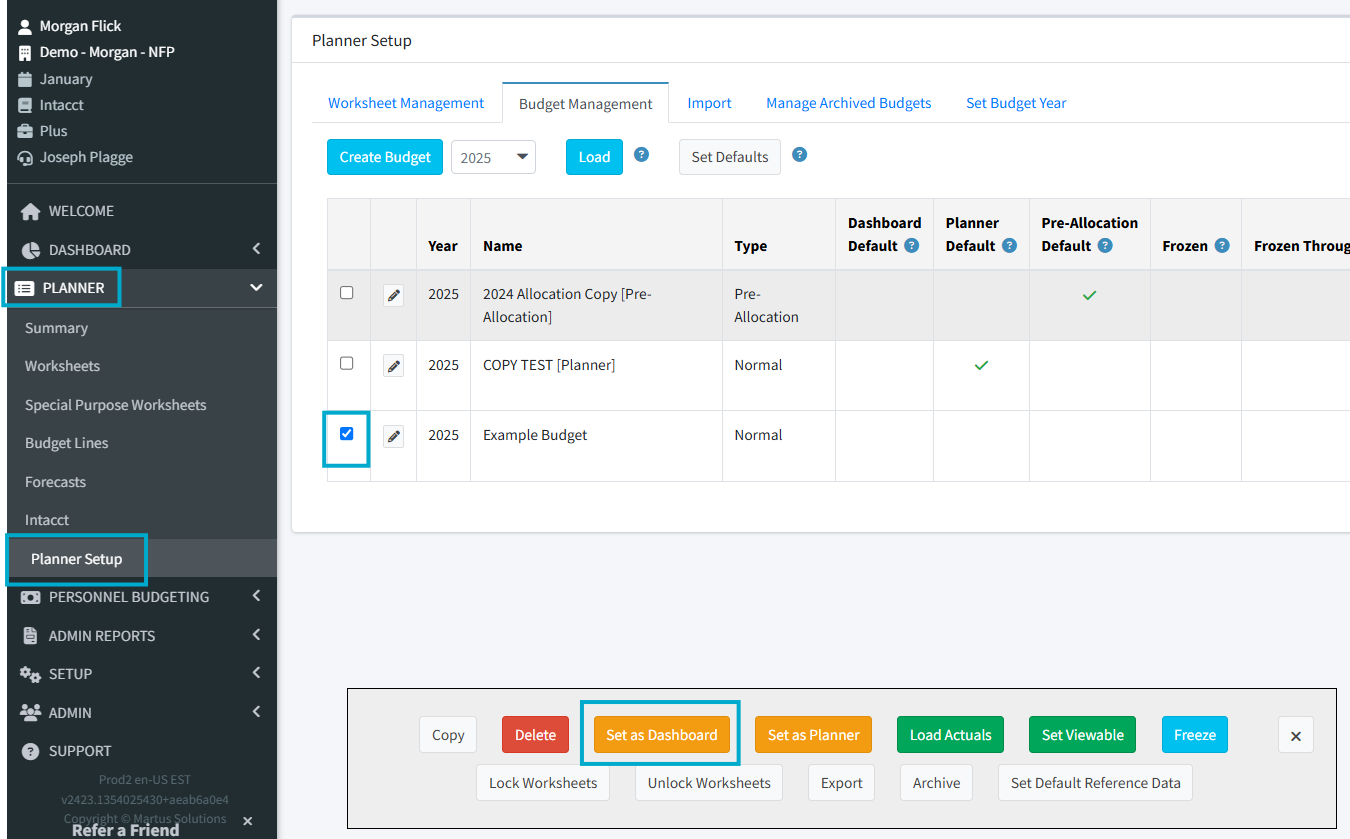
The Dashboard Default budget will be the budget that will be used to generate the reports under Dashboard > Financials. It is set in Planner > Planner Setup > Budget Management. It is critical to set this budget for your non-admin users.
How To Set the Default Budget
- Go to Planner > Planner Setup.
- Check the box to the left of the budget you want to set as the default.
- Click Set as Dashboard.
Planner Default Budget
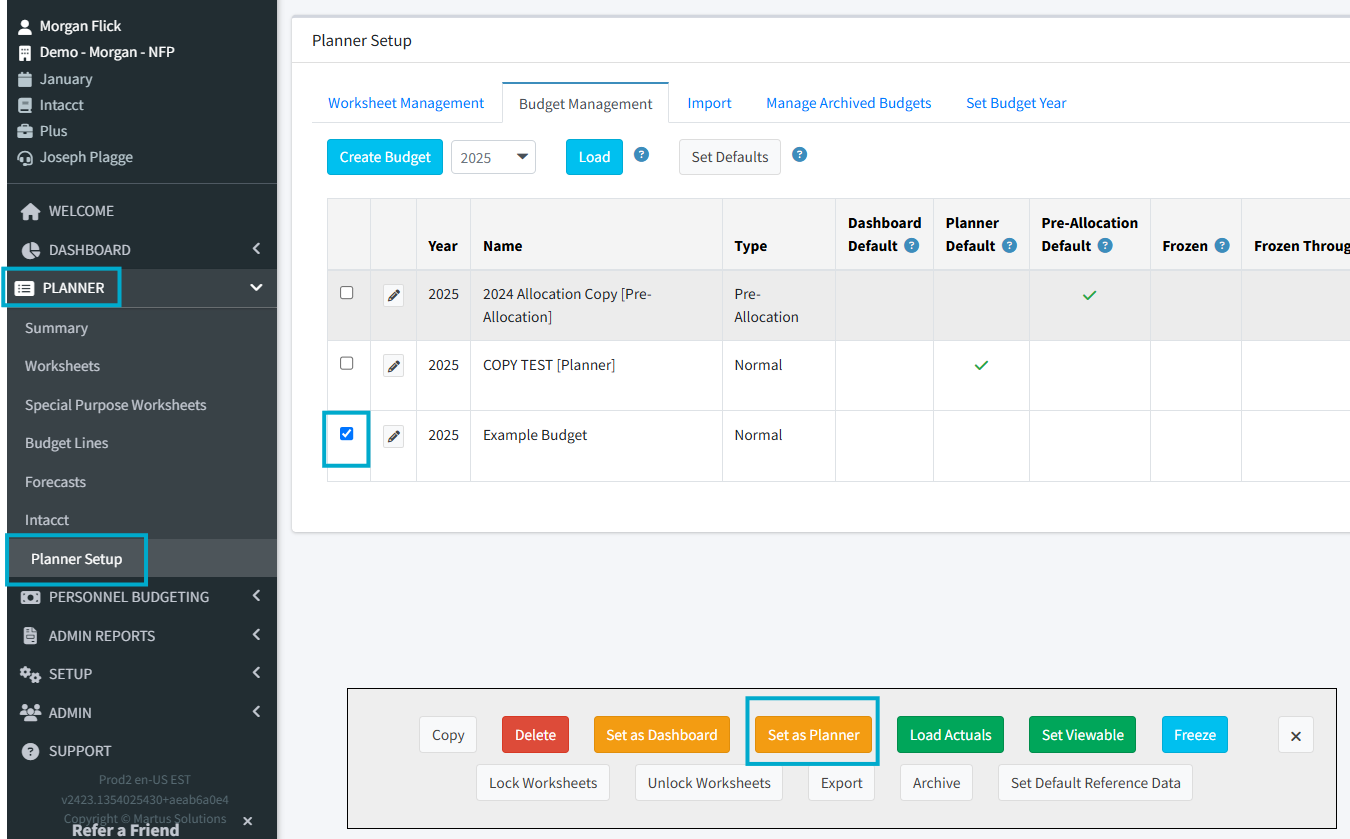
The Planner Default budget will be the budget that will be used to generate the reports under Planner > Summary, and display worksheets in Planner > Worksheets. It is set in Planner > Planner Setup > Budget Management. It is critical to set this budget for your non-admin users.
How To Set Your Planner Default Budget
- Go to Planner > Planner Setup.
- Check the box to the left of the budget you want to set as the default.
- Click Set as Planner.
Budget Year
The budget year will be the default year in the Planner section. It does not impact the Dashboard > Financial Reports.
Setting this ensures that all users will be in the correct year for budgeting.
How To Set Your Default Budget Year
- Go to Planner > Planner Setup > Set Budget Year.
- Change the dropdown to the desired year.
- Click Set Budget Year.
FAQ:
If I do not have a Dashboard or Planner default set what will happen?
When you go into Dashboard or Planner if the report you are looking at contains budget information it will not load any budget data if do not have a Dashboard or Planner Default set
I have set my budget year to the new calendar year but my Financial Reports are not changing?
The budget year will not impact the financial reports under Dashboard > Financial Reports. If you need your Financial reports to reflect your new budget year please update your Default Month to be a month within your new fiscal year.
Was this article helpful?
That’s Great!
Thank you for your feedback
Sorry! We couldn't be helpful
Thank you for your feedback
Feedback sent
We appreciate your effort and will try to fix the article