The Annual Setup tab controls several settings for all scenarios within a fiscal year.
Information within the Annual Setup tab does not copy from one budget year to the next, and should be filled out as appropriate each year.
Note - this video references the previous name of the Setup tab > The Config tab.
Annual Setup Settings
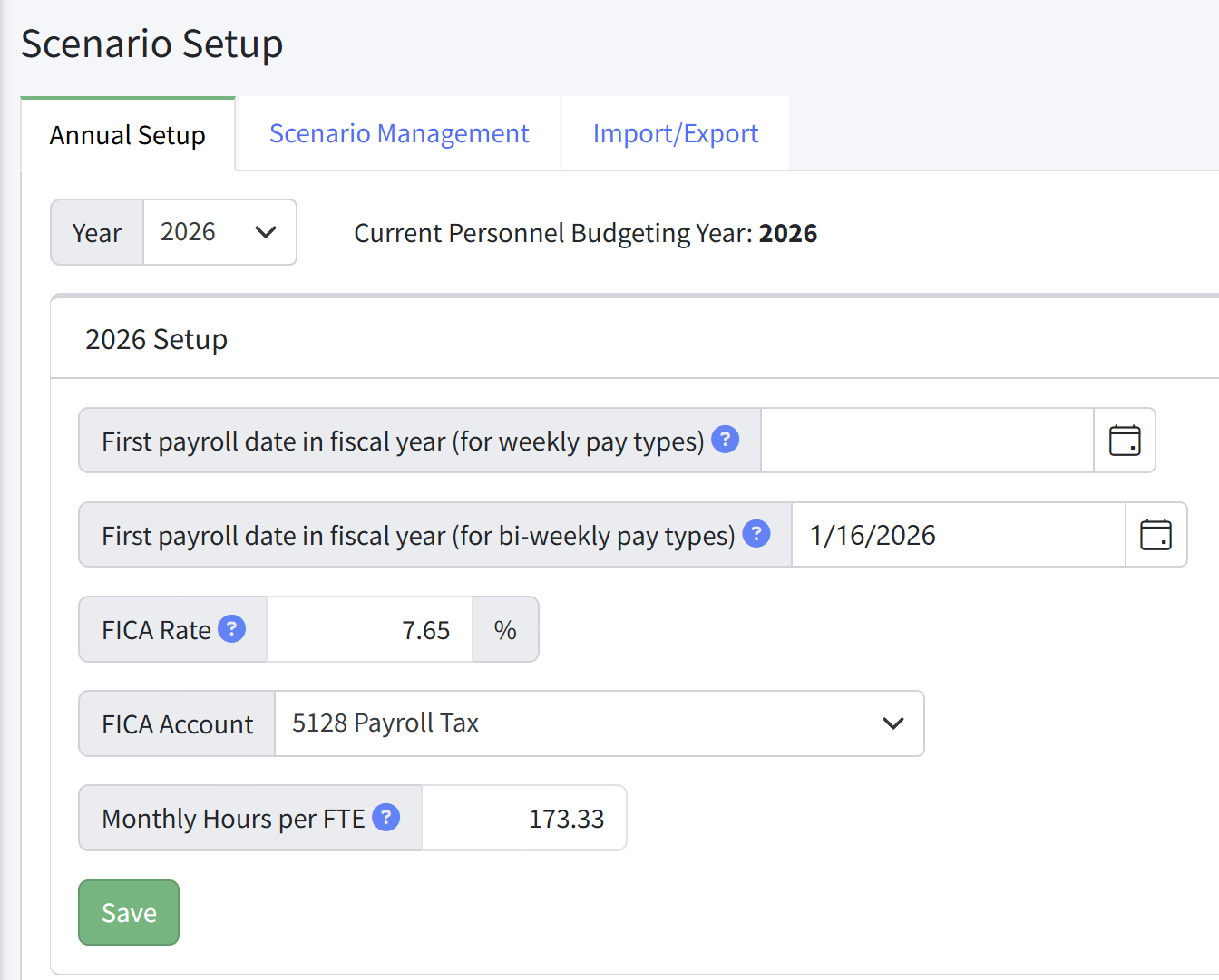
- First payroll date in fiscal year (for weekly pay types) - Set for weekly pay types, if needed. The date selected will determine which months contain four pay periods and which will contain five pay periods. Set this to whatever date you recognize as the pay date in your accounting system so that Martus will match the actuals you enter.
- First payroll date in fiscal year (for bi-weekly pay types) - Set for bi-weekly pay types, if needed. The date selected will determine which months contain two pay periods and which will contain three pay periods. Set this to whatever date you recognize as the pay date in your accounting system so that Martus will match the actuals you enter.
- FICA Rate - Set the FICA tax rate. This is the percentage of all Is Taxable pay types assigned to a position. If you have different GL accounts for Medicare/Social Security or if you use the Social Security annual cap leave this blank.
- FICA Account - The account that will be utilized for budgeting FICA tax. If you have different GL accounts for Medicare/Social Security or if you use the Social Security annual cap leave this blank.
- Monthly Hours per FTE - This is the number of hours used in various reports to calculate the total hours per month a position works. The Allocation Analysis and FTE reports assign hours per this value. When set to 173.33, each full time position will be calculated at 173.33 or 40 hours per week. Use the following calculation to set this:
[Hours per week] * 52 / 12
Setting the Personnel Budgeting Year
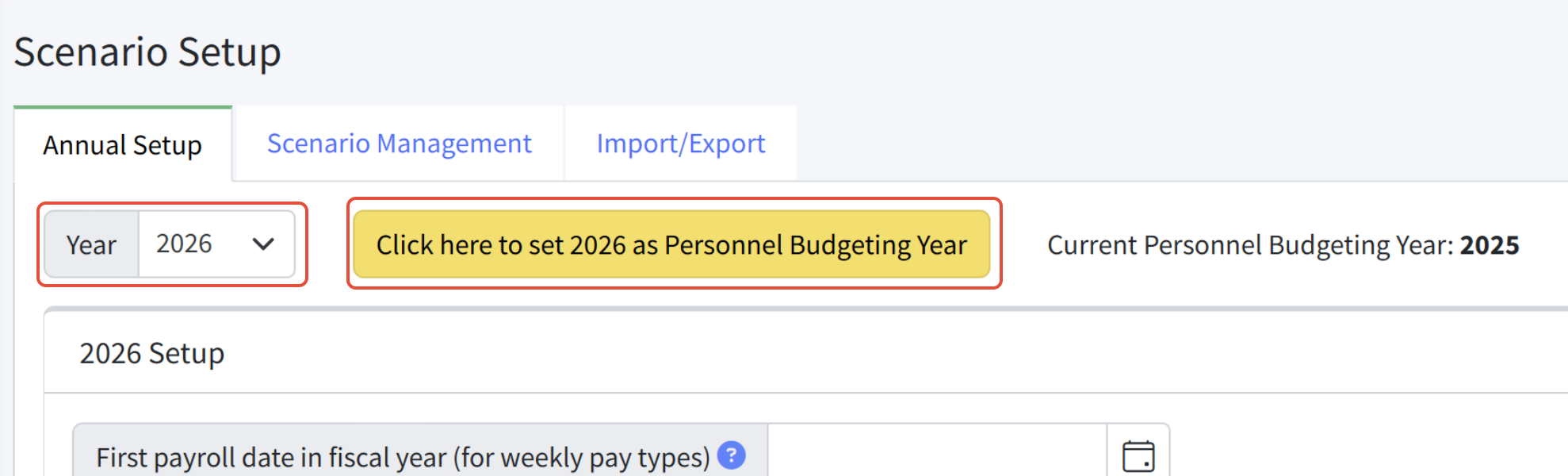
To set the Personnel Budgeting Year, select the year from the dropdown and click Click here to set XXXX as Personnel Budgeting Year. This will become the default year in Personnel Budgeting.
Was this article helpful?
That’s Great!
Thank you for your feedback
Sorry! We couldn't be helpful
Thank you for your feedback
Feedback sent
We appreciate your effort and will try to fix the article