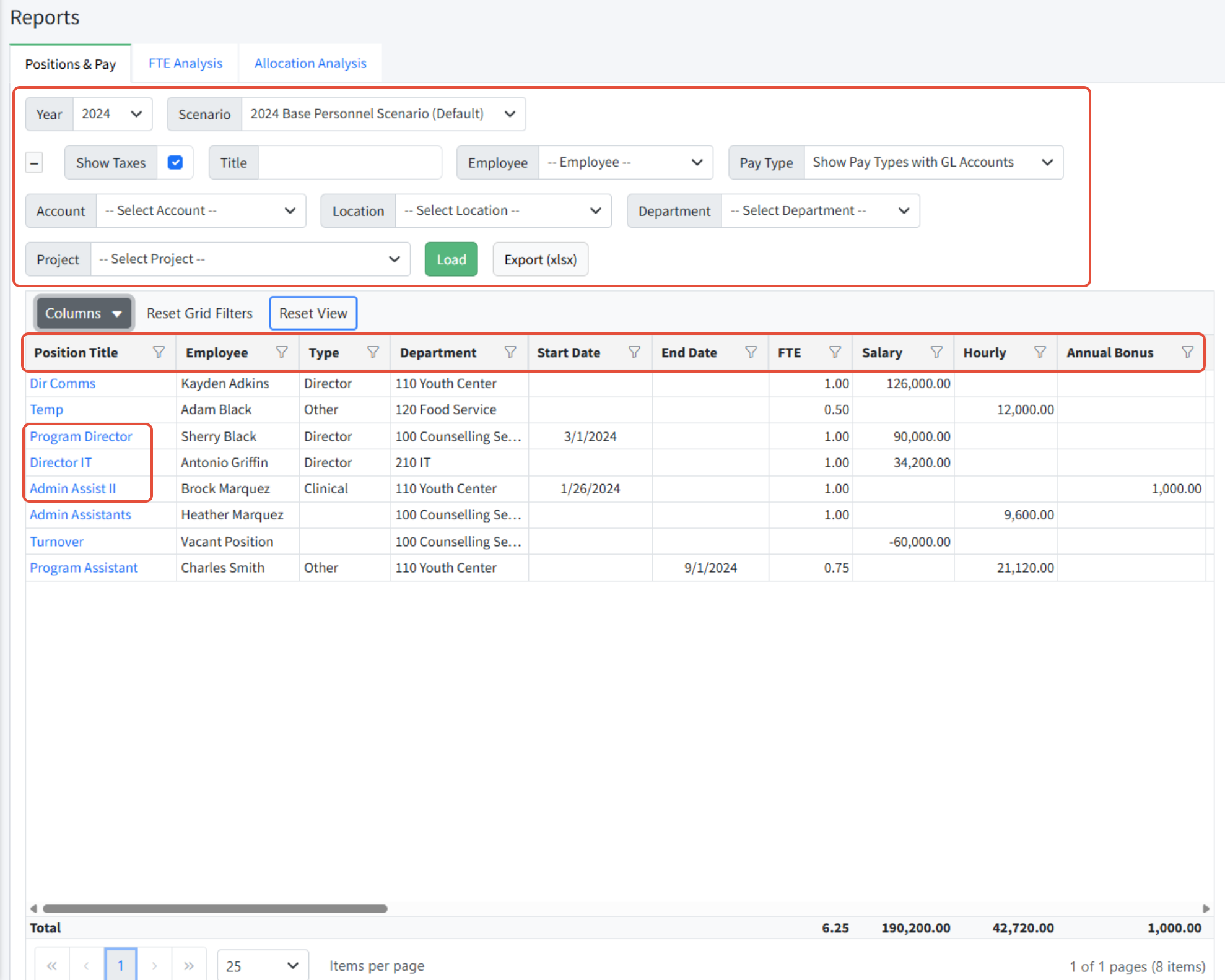
The Positions & Pay report in Personnel Budgeting > Reports provides a summary of all positions in the scenario with a single line for each position. The report provides columns for the position details such as dimensions and title, as well as a column for every pay type that is used in the scenario. A position may be edited from the Positions & Pay report by clicking on the Position Title link.
A particular cell - a combination of row and column - that is blank, indicates that the setting or pay type is not in scope for that position.
The Positions & Pay report can be filtered using the page filters at the top, or by using the grid filters. Note that the grid filters on the Positions & Pay report are not sticky - they will reset if you leave the screen and come back. This incudes the Columns as well. (This is due to the complexity of the data being presented. Other grids in Martus will stay sticky.)
The Positions and Pay report can also be exported to Excel.
Notes:
- The grid filters on the Positions & Pay report are not sticky - they will reset if you leave the screen and come back. This incudes the Columns as well. (This is due to the complexity of the data being presented. Other grids in Martus will stay sticky.)
- If using the FICA option via the Personnel Budgeting > Scenario Setup > Annual Setup tab, there will be a column for Tax to the far right of this report.
- Currently, allocations are not considered in the Positions and Pay report.
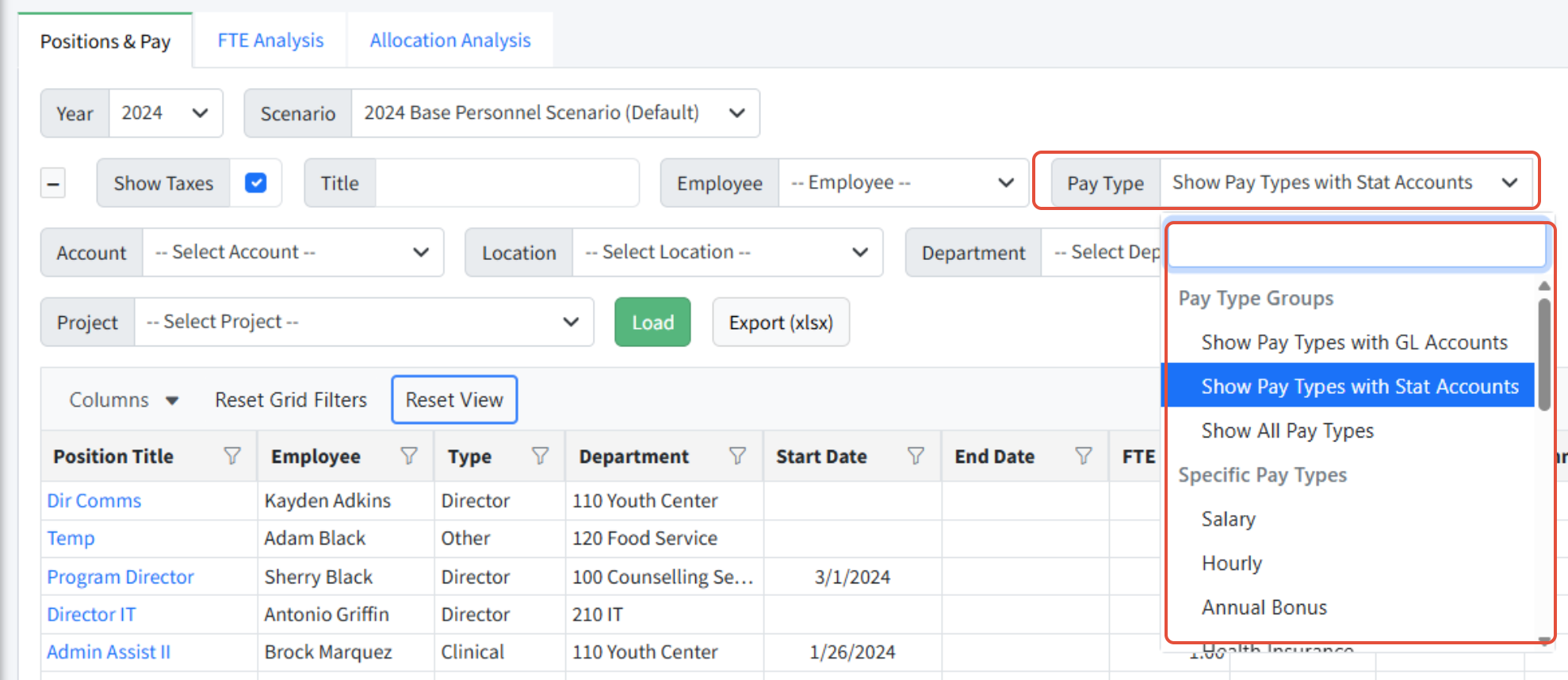
- If statistical accounts are in use, they are not included in totals with GL accounts. They can be viewed separately when Pay Type is set to Show Pay Types with Stat Accounts.
Was this article helpful?
That’s Great!
Thank you for your feedback
Sorry! We couldn't be helpful
Thank you for your feedback
Feedback sent
We appreciate your effort and will try to fix the article