The FTE Analysis report in Personnel Budgeting > Reports provides a summary of Full Time Equivalents by dimension for the selected scenario.
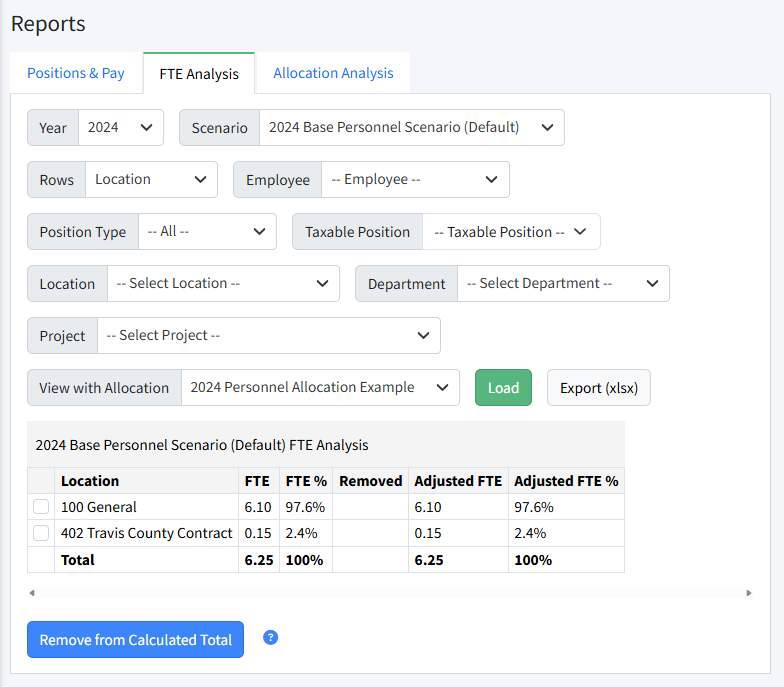
Any dimension in the system can be used as a grouping on the rows. Use the check boxes and Remove from Calculated Total to temporarily filter on dimension values. Personnel allocations can be applied as needed.
FTE Analysis Report Filters and Actions
- Rows - Select any dimension by which to group FTEs.
- Employee - Select a specific employee to see FTEs across positions assigned to that employee.
- Position Type - Filter to a position type.
- Taxable Position - Filter to taxable positions using No, Yes, or All.
- Dimension Filters - Filter to specific dimensions.
- View with Allocation - Automatically displays the default allocation, and can be changed to view another.
- Load - Load the current selected filters.
- Remove from Calculated Total - Use the check boxes and then click Remove from Calculated Total to filter the analysis to specific dimensions values. Click Load to reset to all dimension values.
- Export (xlsx) - Export the current FTE Analysis.
View FTE with Specific Dimension Values
To filter the view, follow these steps.
- Navigate to Personnel Budgeting > Reports > FTE Analysis.
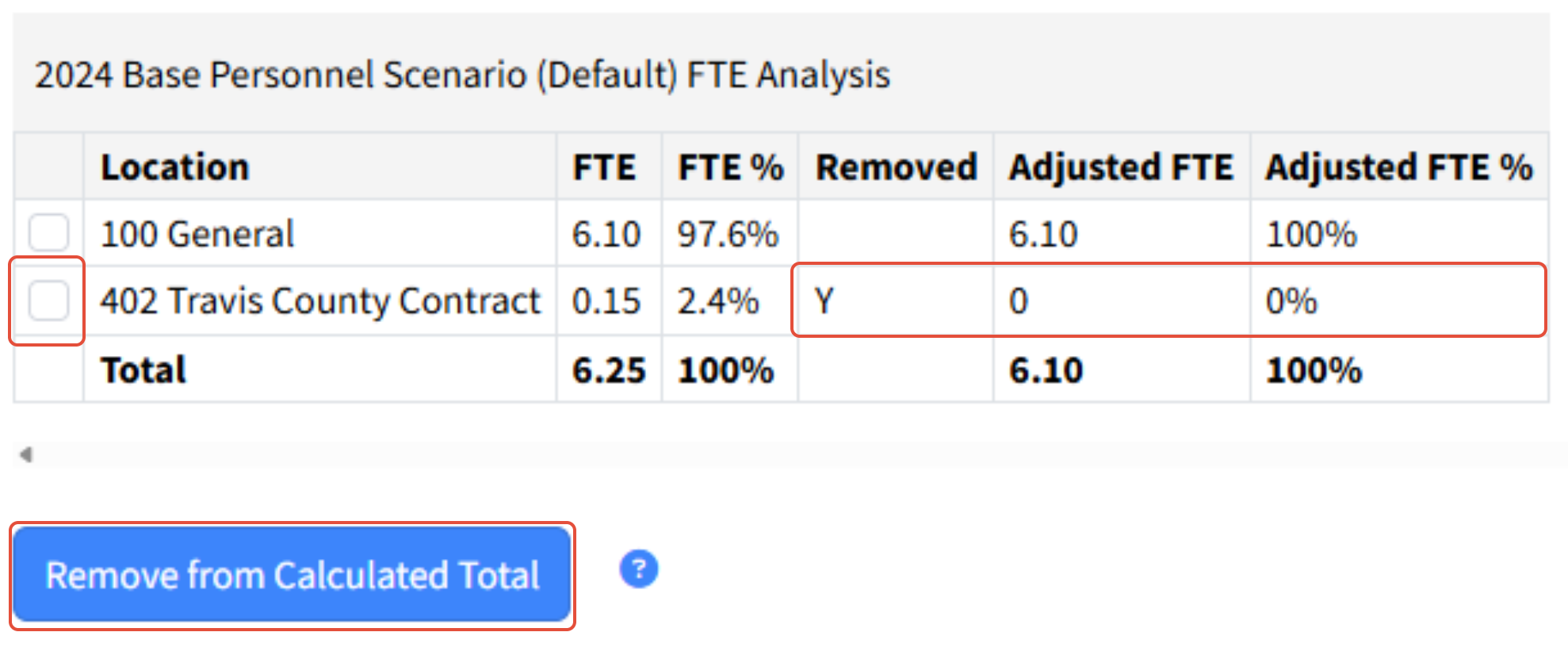
- Select one or more dimension values to remove using the check boxes on the lines.
- Click Remove from Calculated Totals.
- This will adjust the remaining dimension percentages as appropriate. You will notice the Adjusted FTE amounts and % will update, based on the split between the remaining dimensions.
- Click Load to bring back all dimension values and reset the Adjusted FTE calculations.
Was this article helpful?
That’s Great!
Thank you for your feedback
Sorry! We couldn't be helpful
Thank you for your feedback
Feedback sent
We appreciate your effort and will try to fix the article