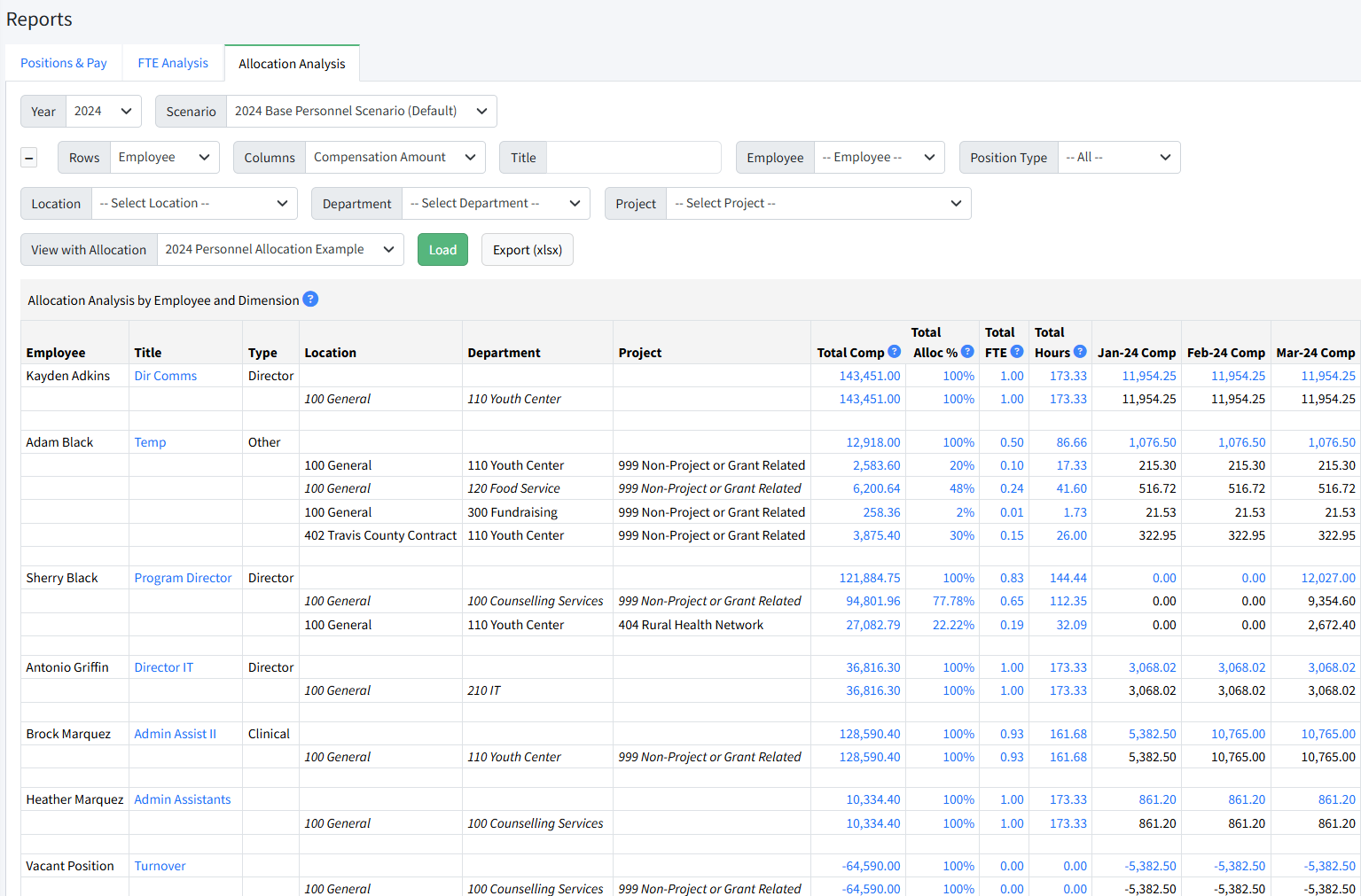
The Allocation Analysis report in Personnel Budgeting > Reports displays employees and dimensions on rows and can display the dollar amounts, FTE counts, percentages, or hours by month depending on how the report criteria are set.
A default allocation is automatically displayed for the current budget year. Select an alternate allocation from the dropdown View with Allocation and click Load if desired.
Report Criteria
A variety of filters are available on the Allocation Analysis report.
Rows - Determines how the rows are grouped.
- Employee - Displays each employee, and the dimensions associated with each segment allocation.
- Dimension - Displays each combination of dimensions, and the employees and allocation segments associated with each combination.
Columns - Determines the columns that are displayed.
- Compensation Amount - Annual and monthly compensation amounts are displayed.
- Percentage - Annual compensation and percentage of total annually and per month are displayed.
- FTE - Annual compensation and total FTEs annually and per month are displayed.
- FTE & Monthly Hours - Annual compensation, FTE and Hours annually and per month are displayed.
Filters - Filters are available for Title, Employee, Position Type, and all dimensions.
Note: If statistical accounts are in use for any pay types, they are not included in totals with GL accounts.
Was this article helpful?
That’s Great!
Thank you for your feedback
Sorry! We couldn't be helpful
Thank you for your feedback
Feedback sent
We appreciate your effort and will try to fix the article