Personnel Budgeting uses Coverages. Coverages are levels of coverage, opted into by an employee, utilized with both Employees and Pay Types to determine the rate of a specific pay type at a specific level. The most common use for coverages is for medical insurance.
Coverages will usually be created during implementation, but can be added and adjusted at any time.
The coverage level selected for an employee stipulates what level the employee has opted in to for themselves or their family.
The coverage level on the pay type then stipulates the rate for that employee for that level of coverage.
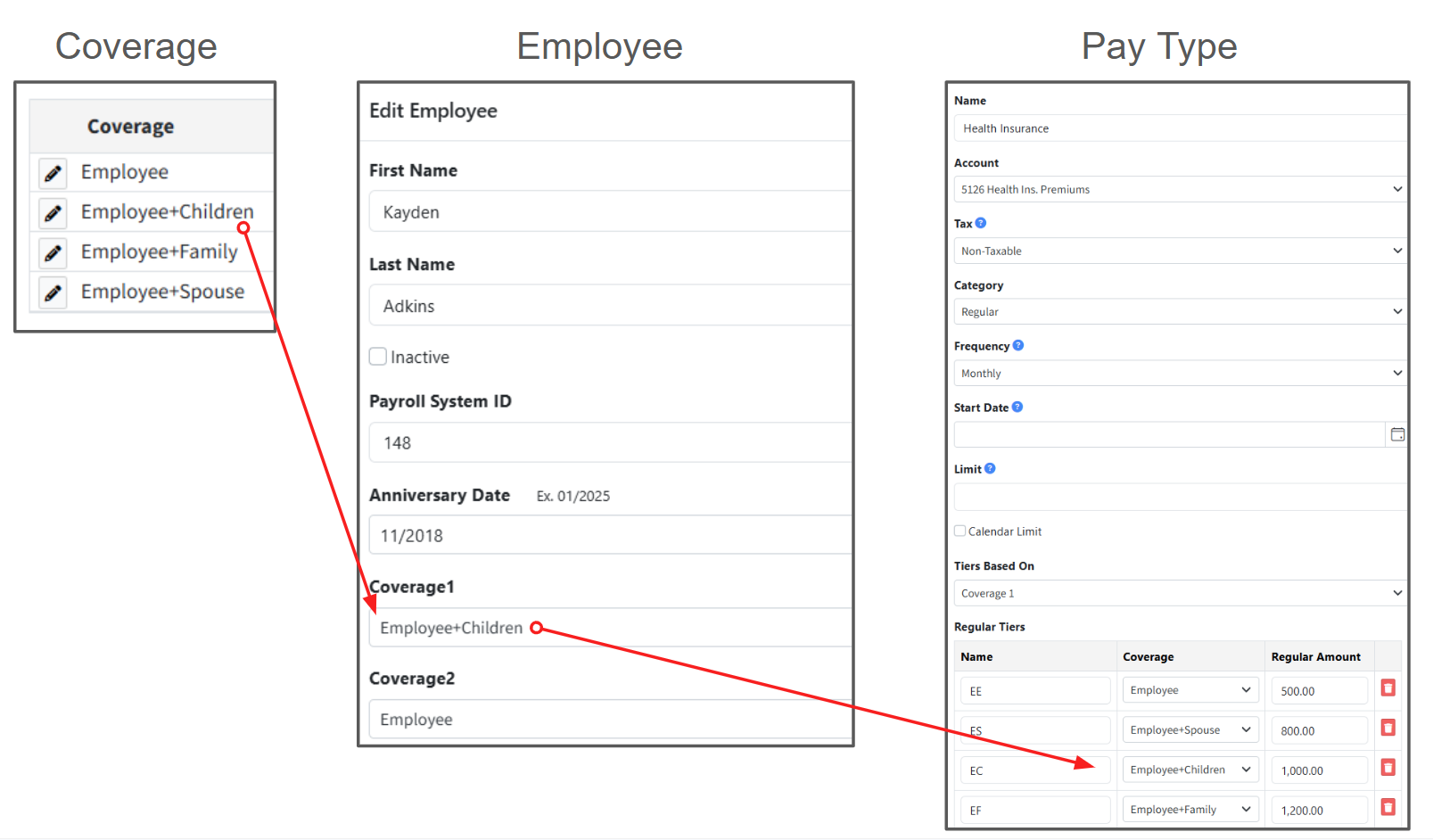
 When a pay type using coverages & rates is added to a position, Martus will look up the employee's level of coverage and match the appropriate rate to budget for that position.
Creating a Coverage Option
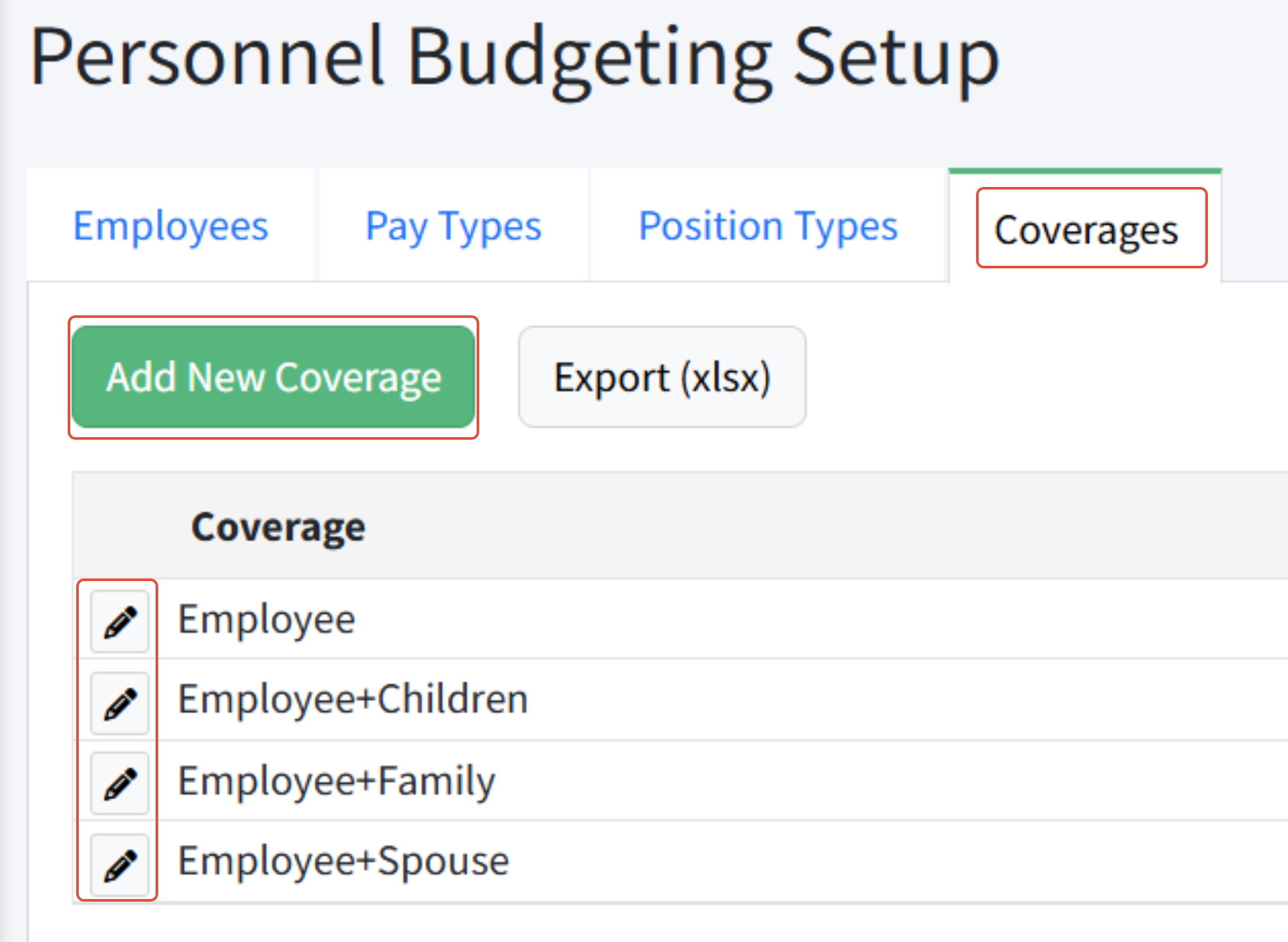
- Go to Personnel Budgeting > Personnel Budgeting Setup > Coverages.
- Click Add New Coverage.
- Enter the name of the new coverage.
- Click Add.
Was this article helpful?
That’s Great!
Thank you for your feedback
Sorry! We couldn't be helpful
Thank you for your feedback
Feedback sent
We appreciate your effort and will try to fix the article